



set aside contracts: Practical playbook for small businesses to qualify, win awards, and increase federal revenue — GovScout

TL;DR
- Find which set aside contracts you can join (8(a), HUBZone, SDVOSB, small business) and match your NAICS codes.
- Sign up on SAM.gov, compile past work, and study market data (USAspending and agency plans).
- Build bids that follow all rules (use the Section L/M list) and decide to bid using a six-point score.
- Watch for offers and create proposal outlines with GovScout to save time and win more.
Context
Set aside contracts provide new federal funds for small businesses. Federal agencies set these contracts to meet social and economic aims. Only firms that fit the rules can earn these awards. Small businesses and their advisors must do clear market research, follow the rules, and share strong past work. This guide gives a step-by-step path to qualify, bid, and win more contracts.
How to do it — Step-by-step
Step 1 — Check the contracts you can join
- Checklist:
- Visit SBA pages for the 8(a), HUBZone, SDVOSB, and WOSB programs (https://www.sba.gov/federal-contracting/contracting-assistance/small-business-programs).
- See your NAICS and size standard on the SBA NAICS page.
- Confirm owner and control rules (8(a) rules differ from SDVOSB rules – refer to FAR/Subpart 19 and SBA guides).
- Why it matters: Wrong facts can lead to removal from programs and lost awards. Clear rules tell you which bids you may join.
Step 2 — Register and clean your record
- Essentials:
- Keep your SAM.gov registration active. Check your entity details, CAGE code, and required forms.
- Confirm that your NAICS codes and PSCs in SAM remain current.
- Use SAM.gov guidelines on DUNS and the Unique Entity ID.
- Why it matters: Agencies cannot give awards to firms without active SAM data. Many bids use NAICS, set aside type, and past work records.
- GovScout action: Search SAM.gov faster → /search
Evaluator Insight
Contract officers first check if your records are clear, your socio-economic forms are correct, and your data can be verified. If your SAM record or small-business files confuse them, you may be dropped from bids early.
Step 3 — Study market data: Who buys and who wins
- Process:
- Visit USAspending.gov to see which agencies spend under your NAICS (search the fiscal range that fits your plan).
- Use SAM.gov bids and agency plans to see pipelines of set aside work.
- Look at past awards and current winners to learn who wins.
- Why it matters: Agencies often repeat purchases. Knowing which offices and firms win raises your chance when you bid.
- Where to look:
- USAspending for award data (https://www.usaspending.gov).
- SAM.gov for live bids and sources‑sought (https://sam.gov).
- Agency forecast pages and GSA small business web pages (https://www.gsa.gov).
Step 4 — Bid/no‑bid decision: a six-point score
- Method:
- Score each bid on six factors: rules fit, past work match, technical details, price strength, staffing, and risk of rule gaps.
- Give each factor a score from 0 to 5. Bid only if your total reaches 20 or above (adjust this by your firm’s ability).
- Why it matters: Chasing bids with low chances wastes time. A strict selection system helps you win more often.
Step 5 — Make the compliant proposal
- Core checklist (ensure these go in your submission):
- A cover letter and filled solicitation forms.
- An executive summary that meets the evaluation parts.
- A technical plan that follows Section L.
- Past work details with contacts, contract value, and dates.
- Price details with an explanation of costs and labor rates for each job type.
- Any required socio-economic files (SBA certificates, HUBZone maps).
- Section L/M focus:
- Match each Section L item with your response and note the evaluation part from Section M.
- Use a check table: solicitation item → your reply → page or location.
- Why it matters: Missing a Section L item or using the wrong fonts and pages is the most common reason for administrative rejection.
Compliance Watch
Common issues include an expired SAM record, missing socio-economic proof, late forms, wrong price format, and missing past work. Check these points twice before you send your bid.
Step 6 — Price to win (without underpricing)
- Strategy:
- Check the agency’s style: Do they choose based on the lowest price, or do they make tradeoffs?
- Look at past labor rates in records and agency price lists.
- Write down your assumptions and include a price explanation.
- Why it matters: Price is a key factor. A bid that is too low may cause doubts about your ability to perform.
Step 7 — After you send: Get reviews and improve
- If your bid loses, ask for a review per FAR 15.505. Use the review to improve your next bid.
- Keep track of outcomes and update your past work records and lessons learned.
Table: Solicitation types and set‑aside use
| Solicitation type | Typical set‑aside use Description | Where to check |
|---|---|---|
| Firm‑fixed‑price RFP/IFB | Full or partial small‑business set aside | SAM.gov solicitation notice |
| Task order under IDIQ/ GWAC | Set‑aside orders if the base contract allows | IDIQ documents & FAR 16 |
| Sources‑sought/ RFI | Market study to build set aside criteria | Agency plan & SAM.gov |
| GSA Schedule solicitations | Small business SINs or set aside orders | GSA web pages |
Data Snapshot — Look up key data and sources
- Check USAspending.gov. Use filters such as fiscal years and NAICS to see which agencies and firms earn awards (e.g., view FY2021–FY2024 trends) – https://www.usaspending.gov.
- Visit SAM.gov to see live set aside bids and sources‑sought – https://sam.gov.
- Get rules and points on each socio‑economic program (8(a), HUBZone, SDVOSB, WOSB) from the SBA pages – https://www.sba.gov/federal-contracting/contracting-assistance/small-business-programs.
Note: Do not use old AWARD counts from summary articles. Check data on USAspending or agency pages.
Mini case example — a small firm with GovScout
Scenario: Acme IT Solutions, 8(a) certified and under NAICS 541512, seeks a 2‑year helpdesk bid.
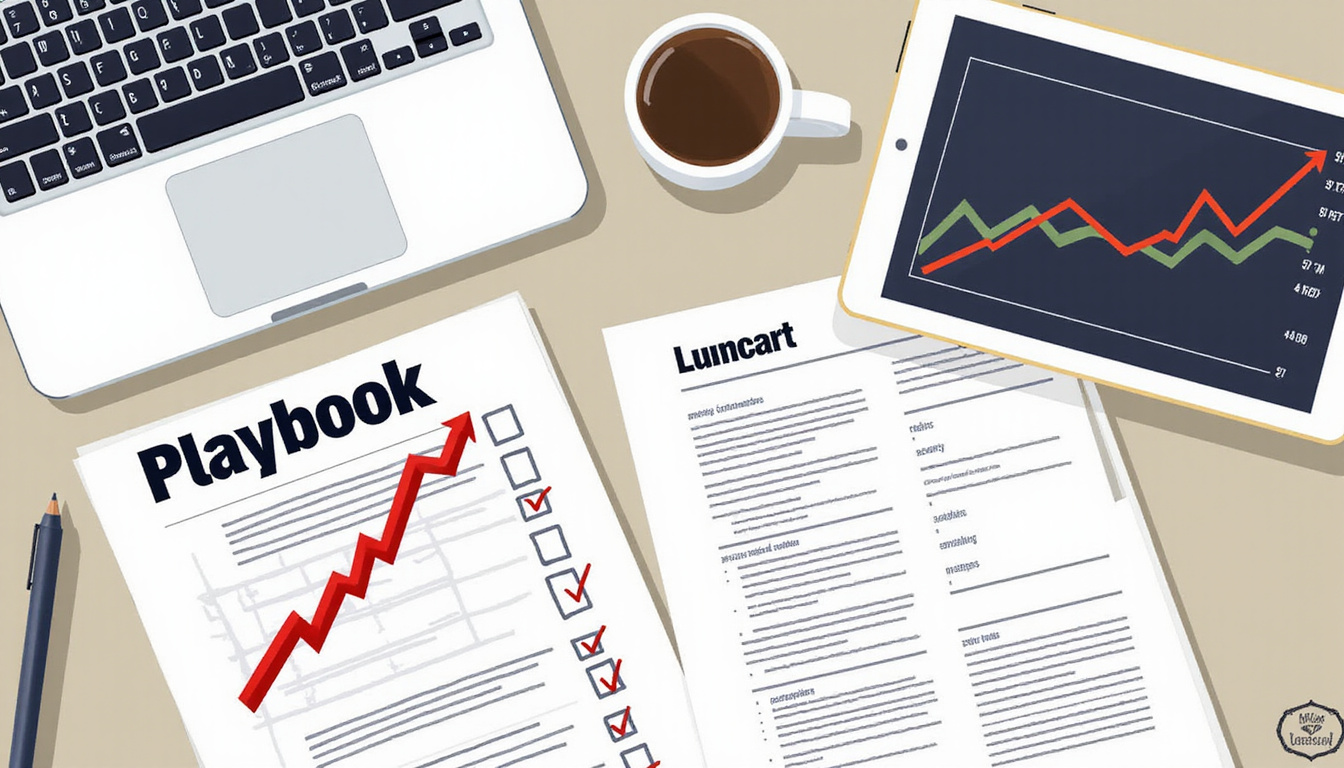
- Step A: Use GovScout to search SAM.gov for active helpdesk bids with NAICS 541512 and 8(a) filters.
- Step B: Save promising bids into your opportunity list – use /pipeline.
- Step C: GovScout shows you Section L/M parts and creates a draft AI proposal outline – use /ai-proposals.
- Outcome: Acme saves time by checking rules, matching its bid to the evaluation parts, and using review feedback to win the next bid.
Common pitfalls and how to fix them
- Pitfall: Using an old SAM record – Fix by setting reminders for SAM updates and giving the task to one team member.
- Pitfall: Weak past work records – Fix by sharing clear numbers, on‑time delivery, and names you can call.
- Pitfall: Misreading Section L/M details – Fix by using a check table and having another person review your bid.
- Pitfall: Bidding for every contract – Fix by using your amount score to save money and time.
Quick FAQ
Q1: What is a set aside contract?
A1: A contract set aside stands for a bid reserved for a small firm or a socio-economic group like 8(a), HUBZone, SDVOSB, or all small businesses. Rules appear in FAR and on SBA pages.
Q2: How do I find HUBZone set asides?
A2: Look on SAM.gov for bids that list HUBZone as the set aside type. Confirm this with SBA HUBZone maps and your SAM HUBZone record.
Q3: Can a subcontractor win a set aside prime?
A3: No. The prime must meet the socio-economic rules. Subcontractors may help in other bids if the rules allow and the plan meets FAR rules.
Q4: How do I quickly check if a bid is set aside?
A4: The bid notice on SAM.gov shows a set aside field. GovScout helps you spot these bids fast → /search.
Q5: How does past work affect set aside bids?
A5: Past work matters a lot. It must show similar projects, clear numbers, and names you can call.
Call to Action
Try GovScout to check SAM.gov faster, save bids in your list, and auto-create AI outlines to speed up your detailed responses:
- Search SAM.gov fast → /search
- Save and track bids → /pipeline
- Get AI outlines → /ai-proposals
Next steps (quick checklist)
- Check your eligibility on SBA pages and update your SAM record.
- Map your target NAICS and review award data on USAspending.
- Save target bids in GovScout and get draft outlines.
- Score your bids and build a Section L/M check table.
- Send your bid on time and ask for a review if you do not win.
Author bio
Written by GovScout (Cartisien Interactive), a team that built 100+ gov/enterprise projects; CAGE 5GG89. Editorial note
Content was checked against primary sources – FAR, SBA pages, SAM.gov, USAspending.gov, and GSA.
External sources
- SBA small business programs: https://www.sba.gov/federal-contracting/contracting-assistance/small-business-programs
- FAR Part 19 (Small Business Programs): https://www.acquisition.gov/far/part-19
- SAM.gov (contracting notices & entity registration): https://sam.gov
- USAspending (award-level data): https://www.usaspending.gov
- GSA small business resources: https://www.gsa.gov
Meta description (150–160 chars)
Practical playbook for small businesses to qualify, bid, and win set aside contracts. Check rules, build bids, and grow federal revenue with GovScout tools.
SEO tags
set aside contracts, federal set aside, small business contracting, 8(a) contracts, HUBZone, SDVOSB, GovScout, SAM.gov
JSON-LD (insert exactly as site requires)
<script type="application/ld+json">
{
"@context": "https://schema.org",
"@type": "Article",
"headline": "",
"author": {
"@type": "Organization",
"name": "GovScout",
"url": "https://govscout.com"
},
"publisher": {
"@type": "Organization",
"name": "GovScout",
"logo": {
"@type": "ImageObject",
"url": "https://govscout.com/logo.png"
}
},
"description": "Practical playbook for small businesses to qualify, bid, and win set aside contracts; includes checklists, compliance tips, and GovScout workflow links.",
"keywords": "set aside contracts, federal set aside, small business contracting, 8(a), HUBZone",
"mainEntityOfPage": {
"@type": "WebPage",
"@id": "https://govscout.com/blog/set-aside-contracts-playbook"
}
}
</script>
<script type="application/ld+json">
{
"@context": "https://schema.org",
"@type": "FAQPage",
"mainEntity": [
{
"@type": "Question",
"name": "What counts as a ‘set aside contract’?",
"acceptedAnswer": {
"@type": "Answer",
"text": "A set aside contract is one reserved for a socio-economic group or small business, such as 8(a), HUBZone, or SDVOSB. Rules are in FAR and on SBA pages."
}
},
{
"@type": "Question",
"name": "How do I find HUBZone set asides?",
"acceptedAnswer": {
"@type": "Answer",
"text": "Search SAM.gov for bids that list HUBZone as the set aside type. Confirm eligibility using SBA HUBZone tools and your SAM HUBZone record."
}
},
{
"@type": "Question",
"name": "Can a subcontractor win a set aside prime?",
"acceptedAnswer": {
"@type": "Answer",
"text": "No. Set aside primes are for firms that meet the socio-economic rules. Subcontracting can work on other bids if the plan meets FAR rules."
}
}
]
}
</script>
<script type="application/ld+json">
{
"@context": "https://schema.org",
"@type": "HowTo",
"name": "How to qualify and win set aside contracts",
"description": "Steps for small businesses to qualify, identify, bid, and win set aside contracts.",
"totalTime": "P14D",
"supply": [
"Documents: RFP, Section L/M, Past work details",
"Registrations: SAM.gov, SBA program certificates",
"Tools: GovScout /search, /pipeline, /ai-proposals"
],
"step": [
{
"@type": "HowToStep",
"name": "Check eligibility",
"text": "Visit SBA pages and confirm your NAICS and owner rules."
},
{
"@type": "HowToStep",
"name": "Register on SAM.gov",
"text": "Ensure your SAM record, CAGE code, and forms are current."
},
{
"@type": "HowToStep",
"name": "Study market data",
"text": "Use USAspending and SAM.gov to map buyers and winners."
},
{
"@type": "HowToStep",
"name": "Make a compliant proposal",
"text": "Follow Section L/M, include past work and price details, and check each rule."
}
]
}
</script>
About GovScout
GovScout helps SMBs and consultants win more public-sector work: search SAM.gov fast, save & track opportunities, and draft AI-assisted proposal outlines grounded in the RFP.
Contact: hello@govscout.io
Editorial Standards
We cite primary sources (SAM.gov, USAspending, FAR, SBA, GSA). Posts are reviewed for compliance accuracy. We don’t fabricate figures. If a rule changes, we update.
Try GovScout:
Leave a Reply