


capability statement: step-by-step guide to craft a one-page document that secures federal contracting meetings for small businesses
Capability Statement: A Step-by-Step Guide to a One-Page Document for Federal Contracting Meetings
Meta description: Create a one-page capability statement that grabs attention, passes a quick CO scan, and helps your small business secure a meeting with federal agencies.
TL;DR
• Make a one-page capability statement for a chosen agency.
• Include six sections: core work, past work, reasons you stand apart, company data, key NAICS/PSC codes, and contact details.
• Use language that fits an agency’s work and current buys (found on SAM.gov and USAspending.gov) so buyers see you as a good match.
• Format for a quick scan of 5–15 seconds: clear titles, bullets, and plenty of white space.
• Use GovScout to search SAM.gov quickly (/search), build a target list (/pipeline), and create AI proposal templates (/ai-proposals) from your statement.
Why Capability Statements Matter Now
In federal work, you do not start with a big sales pitch. You start with a one-page capability statement. COs, program managers, and small business experts ask for a clear statement before they set a meeting.
When many small businesses chase set-aside dollars and agencies need to reach their small business goals, the first check is simple. They ask, “Does this vendor show, on one page, that they fit our needs and pose little risk?” A clear statement earns discovery calls, meeting invites, and teaming talks. This guide leads you to build a statement that meets what federal buyers expect.
How to Build a Federal Capability Statement (Step-by-Step)
Step 1: Set a Clear Target
A generic statement is just noise. A targeted one gets meetings.
1.1 Choose an Agency Focus
Use market work to ask, “Who buys my work?”
• Visit USAspending.gov for past awards.
• Filter by your NAICS and top spending agencies.
• Visit SAM.gov for active or recent tasks that match your work.
• In GovScout, use the SAM.gov search to filter by NAICS, words, place, and set-aside.
• See which agencies request your work: use "/search".
Pick one agency (for example, Dept. of Veterans Affairs, USDA, or USAF) for this version.
1.2 Pick Your “Lane”
Buyers want to see your answer in three seconds:
• “Cybersecurity operations & RMF A&A”
• “Facility maintenance & minor construction”
• “Nursing and allied health staffing”
• “Cloud-native app development and DevSecOps”
Write one short phrase that shows your lane. This phrase drives your headline and core work.
Step 2: Set Up the One-Page Structure
Your federal statement should be one page, saved as a PDF. Use a portrait or landscape layout. Use this simple plan:
| Section | Role | Suggested Spot |
|---|---|---|
| Header + Branding | Show your logo and name quickly | Top (with logo and tagline) |
| Core Competencies | What you do | Top left or main column |
| Past Performance | Proof that you succeed | Top/right or mid-page |
| Differentiators | Why you stand apart from others | Mid-page or right column |
| Corporate Data | Data for SAM/SBA checks | Bottom left |
| NAICS/PSC Codes | Help buyers group your work | Bottom/mid |
| Contact Information | Who to call for more details | Bottom right or footer |
Design it in Word, PowerPoint, or a similar tool. Keep these points in mind:
• It prints cleanly in black and white.
• Fonts are clear (at least 10–11 point).
• There is space around the text.
Step 3: Write a Clear Header and Summary
The top must tell a CO who you are, what you do, and for whom—all in a short line.
3.1 What to Include
• Your company name and logo
• A short line that states your work (for example, “Cybersecurity and cloud support for health agencies”)
• Small business labels like 8(a), SDVOSB, WOSB, HUBZone, etc.
• Your location (City, State; mention HUBZone if true)
An example header:
"SDVOSB providing Tier 1–3 IT service desk and network support to DoD and VA health centers."
This short header helps a CO match you quickly to their needs.
Step 4: List Core Competencies That Fit the Agency
“Core competencies” list the exact services or products you deliver. They are not empty words.
4.1 Use Agency Language
Look at:
• Recent tasks on SAM.gov for your agency.
• Their small business or buying page (for example, the VA OSDBU or DHS Small Business pages).
Copy their style of words, not exact phrases. If they use “enterprise service desk,” then use that term.
4.2 Write 4–7 Bullets
Keep each bullet short and linked to clear results:
• 24x7x365 Tier 1–3 service desk for 5,000+ users.
• RMF A&A package creation and system monitoring for FISMA High systems.
• Preventive and repair work for facilities under IDIQ and BPA contracts.
• Agile, cloud-native app development (AWS, Azure) with CI/CD pipelines.
These bullets help buyers see the match with their own needs.
Step 5: Show Past Performance That Cuts Risk
Agencies want to see who you have helped and how well you did.
5.1 Add 3–5 Past Work Samples
Each sample should take 2–3 short lines. Include:
• Name of the customer or agency (or note “Prime contractor – customer” if you worked as a sub).
• What you did.
• Scale (number of users, locations, cost, or complexity).
• A simple result (on time, on budget, high rating).
An example:
"Defense Health Agency (sub to XYZ Prime) – Delivered Tier 1–2 service desk support for 4,500 users across 3 sites. Met a call resolution rate above 98% with a ‘Very Good’ rating over 3 years."
If you are new to federal work, you can use similar tasks that you have done at state, local, or commercial levels. Mark them clearly—for example, “Commercial – Healthcare IT.”
5.2 Why It Works
COs and program managers think in terms of risk. They ask, "Will this vendor deliver?" Past work that is similar and proven cuts that risk.
Step 6: State Your Differentiators (Without Extra Fluff)
Differentiators are clear reasons you stand apart. They are not vague claims like “high quality” or “experienced team.”
6.1 List 3–5 Reasons
Include items such as:
• Performance that is measured (speed, accuracy, cost)
• Certifications (like CMMI, ISO, CMMC, security levels)
• A special position (local presence, certified experts, niche skills)
• Ease of contracting (with existing vehicles, BPA, or GSA Schedule)
Example:
• Staff with clearance (Secret/Top Secret) onboard in 48 hours.
• Existing task orders for VA centers; familiar with VistA/CPRS and Cerner.
• An ISO 9001:2015 quality system and ITIL service processes.
• Local office within 25 miles of Fort Liberty, which cuts travel costs and response time.
These points must be clear and measured.
Step 7: Add Simple Corporate Data and Codes
Help the agency check your records in SAM quickly.
7.1 What to Include
• Legal business name
• UEI (from SAM.gov)
• CAGE code (from the DLA CAGE Search)
• Business size and any SBA labels like 8(a), HUBZone, SDVOSB/VOSB, WOSB
• Any GSA Schedule or BPA details
7.2 List NAICS and PSC Codes
Include a list of key codes:
• Your main NAICS (such as 541512, 541611, 561320).
• 3–5 secondary NAICS that fit your work.
• PSC codes that match.
This list aids COs in filing your work correctly.
Step 8: Make It Easy to Contact and Follow Up
The reader must know exactly who to call.
Include:
• Name and title of one main contact
• Direct phone number
• A work email (not a generic address)
• A simple website URL
• Optionally, a LinkedIn profile for the lead
Example:
Primary Contact: Jane Smith, Director of Federal Programs
Phone: (555) 123-4567 | Email: jane.smith@acmecyber.com
Web: www.acmecyber.com
Step 9: Format for Evaluators, Not as a Marketing Flyer
This is a tool to help make a decision.
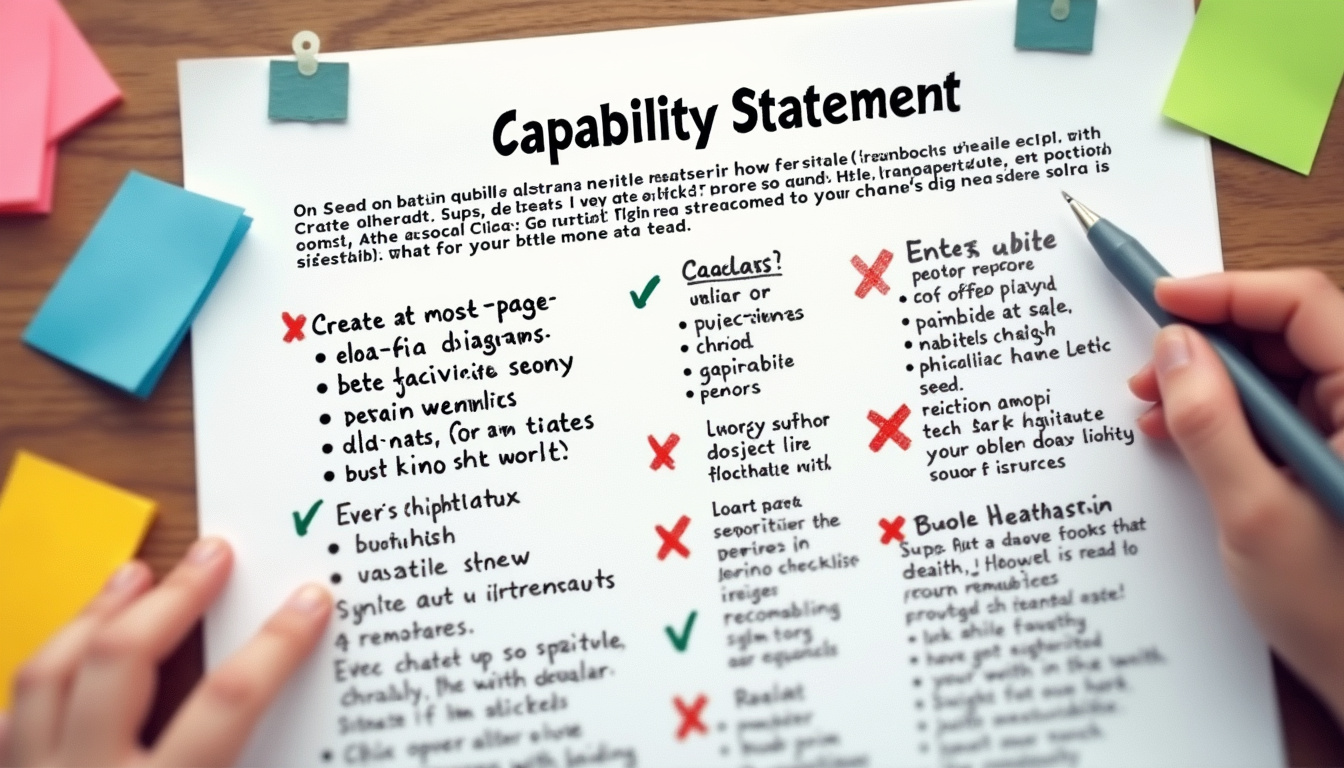
9.1 Check for Good Design and Clarity
• One page, PDF, less than 1MB.
• A simple palette with clear contrast for black and white copies.
• Titles for every section; same fonts and spacing throughout.
• Left-aligned text, short bullets, and plain language.
• Avoid background images that reduce clarity.
9.2 Name Your File Clearly
A good filename is professional, such as:
ACME-Tech_Capability-Statement_VA_2025-01.pdf
Do not use messy names like cap_statement_final_v7_reallyfinal.pdf.
Step 10: Tailor Your Statement for Each Bid
Your statement is a living document.
• Find opportunities using GovScout’s SAM.gov search (/search).
• Match your core work and NAICS to tasks that are current.
• Use the statement as a base in proposals and create outlines with GovScout’s AI tools (/ai-proposals).
• After each bid, update past work details and metrics.
• Adjust versions for each agency from your review of wins and losses.
Evaluator Insights
COs and small business experts want a simple view of:
• What you do and for whom.
• Whether you meet eligibility and are correctly registered (SAM, UEI, CAGE).
• Past work that shows low risk.
• Alignment to the agency’s work and buying habits.
• A clear point of contact for more questions.
Compliance Checks
Make sure to avoid these pitfalls:
• Do not list labels or codes you no longer hold.
• Avoid using NAICS codes that do not match your small business status.
• Ensure your legal name matches SAM.gov records.
• Double-check UEI and CAGE codes so COs can verify you easily.
• Do not overstate past work or claim prime status if you were a small sub.
Regularly check your statement against your records in SAM.gov and SBA portals.
Data Snapshot: Where Your Statement Fits
There is no single federal number for capability statements. But, here is where they matter:
• SAM.gov – The main site for tasks and sources-sought notices; many ask for a capability statement.
• Agency small business offices – They often show guidance that calls for a clear capability statement.
• USAspending data – Use it to see which agencies purchase in your NAICS and which primes win work.
• FAR Part 10 – This part explains market work. Capability statements are common input for industry talks.
Refer to these sources to match your statement with what the agency wants.
Mini Case: A Small SDVOSB with GovScout
Scenario:
PatriotOps is an SDVOSB IT firm with about 10 staff. They need more work with the Department of Veterans Affairs (VA).
- Market Work: Who buys and who wins?
• The business lead uses GovScout to search SAM.gov for keywords like “service desk”, “NOC”, and “support.”
• They filter for the Department of Veterans Affairs and set-aside labels.
• They check USAspending for VA awards in work similar to NAICS 54151, 541512, or 541513. 2) Build a VA-Focused Statement:
• They write a header: “SDVOSB providing IT service desk & NOC support to VA centers.”
• They list core work that matches VA language:
– Tier 1–3 service desk support for VA medical and admin staff.
– NOC support with 24x7x365 monitoring and quick incident care.
• They share past work: state health IT support and commercial hospital network NOC services, noted as “Commercial – Healthcare IT.”
• They show reasons they stand apart: local presence near two VA centers, ITIL-certified staff, and an ISO 9001:2015 system.
• They add company details: UEI, CAGE code, SDVOSB label, and main NAICS 541512. 3) Deploy and Improve:
• PatriotOps saves VA tasks in GovScout to track opportunities (/pipeline).
• They send the VA statement to VA small business contacts and primes seen on USAspending.
• When a VA notice appears, they use their version and turn it into an outline with GovScout’s AI tool (/ai-proposals).
• Soon, they secure a meeting with a VA small business specialist and join a VA task order with a prime partner.
Common Pitfalls and Their Fixes
-
Generic, one-size-fits-all statements
– Fix: Make different versions for each agency (e.g., VA, DHA, USDA) with tailored core work and past work. -
Overuse of jargon and empty words
– Fix: Write in plain language that matches requirements and outcomes. Each CO should restate what you do in one sentence. -
No concrete past work
– Fix: Use state, local, or commercial work that is similar, and add key metrics (uptime, SLA rates, cost savings). -
Missing or false identifiers (UEI, CAGE, NAICS)
– Fix: Check your statement against SAM.gov and SBA records. -
Not updating the statement
– Fix: Set a reminder each quarter to update past work details and codes, and tune it to recent tasks in your pipeline.
Quick FAQ on Capability Statements
-
What is a capability statement in federal work?
It is a one-page view of your company’s federal-ready work, past work, reasons you stand apart, and company data. It helps agencies and primes see if you match their needs. -
How long should it be?
It should be one page. COs and small business experts want a clear page they can check quickly. -
What must it include?
At minimum: a header with your name and small business labels, core work, past work examples, reasons you stand apart, company data (UEI, CAGE, and labels), key NAICS/PSC codes, and clear contact details. -
Do I need different versions for each agency?
Yes. It is best to keep a base version and then create versions that match each agency’s work and language. -
How do I use it on SAM.gov?
When a task or RFI comes up on SAM.gov, attach your tailored statement. Adjust core work and past work points to match the task and check that your company data is in order.
Next Steps Checklist
[ ] Pick your target agency using SAM.gov and USAspending.
[ ] Write a one-page statement with six sections.
[ ] Adapt core work and past work to match agency language and tasks.
[ ] Verify all company data, UEI, CAGE, and labels with SAM.gov and SBA records.
[ ] Create at least one agency-focused version (for example, VA, DoD).
[ ] With GovScout, use:
[ ] the SAM.gov search (/search) for tasks,
[ ] the opportunity tracker (/pipeline),
[ ] and the AI proposal tool (/ai-proposals) for detailed outlines.
[ ] Update your statement every quarter with new past work and codes.
Call to Action
If you want your statement to secure real meetings and proposals, tie it directly to current tasks and data. Use GovScout to search SAM.gov quickly, track your opportunities, and convert your statement into clear AI proposal outlines that stay on message.
• Check the SAM.gov search on GovScout: /search
• Build your target list: /pipeline
• Create AI proposal outlines from your statement: /ai-proposals
Author Bio
Written by GovScout (Cartisien Interactive), a team that has built over 100 government and enterprise projects; CAGE 5GG89. Editorial note: Reviewed for accuracy using trusted sources.
[JSON-LD remains unchanged and is appended as in the original document.]
About GovScout
GovScout helps SMBs and consultants win more public-sector work: search SAM.gov fast, save & track opportunities, and draft AI-assisted proposal outlines grounded in the RFP.
Contact: hello@govscout.io
Editorial Standards
We cite primary sources (SAM.gov, USAspending, FAR, SBA, GSA). Posts are reviewed for compliance accuracy. We don’t fabricate figures. If a rule changes, we update.
Try GovScout:
Leave a Reply